Meta’s enforcement is largely automated, increasingly aggressive, and routinely wrong. Understanding exactly how account restrictions work is the first step to making sure a ban never becomes your brand’s problem.
Facebook’s enforcement engine does not operate the way most marketers think it does.
It is not a team of reviewers working through a moderation queue. It is a set of large-scale automated systems trained to detect behavior patterns at the scale of three billion users, and it has a meaningful false-positive rate.
Understanding that distinction changes how you should approach account hygiene, ad management, and page governance entirely.
This guide covers what actually triggers Facebook bans and account restrictions, how shadow banning works in practice, and what specific behaviors place business pages and ad accounts at elevated risk.
If you manage paid social for a brand or run pages with real commercial stakes, this is the operational baseline you need.
How Meta’s Enforcement Actually Works
Meta’s Community Standards apply to all personal account activity. Its Advertising Policies govern everything on the paid side. Both are enforced primarily through algorithmic systems, not human review. A human reviewer typically only enters the picture after an automated flag has already acted, or when a formal appeal is submitted.
The consequence of this architecture is that context gets lost. An automated system evaluating a post about firearms safety, medication access, or financial hardship will frequently interpret the surface pattern as a violation before any nuance can be assessed.
This is not a bug that Meta is particularly motivated to fix at scale. It is a deliberate trade-off in a content moderation operation that processes hundreds of millions of data points per day.
Meta’s enforcement is a pattern-matching operation at a planetary scale. If your behavior looks like a violator’s behavior, you get treated like one, regardless of intent.
Meta has also reduced its trust and safety headcount significantly since 2022 through multiple rounds of layoffs, which has increased reliance on automation and extended appeal resolution timelines. If you are waiting on a human review after a ban, the queue is longer than it used to be.
What a Facebook Ban Actually Means
The term “ban” is used loosely, but Meta enforces several distinct types of account restrictions with meaningfully different consequences:
| Restriction Type | Scope | Duration | Reversible? |
| Temporary Block | Specific actions (posting, commenting, adding friends) | Hours to 30 days | Yes, time-based |
| Ad Account Disabled | All paid activity suspended | Indefinite pending review | Often, via appeal |
| Page Unpublished | Page invisible to non-admins | Pending correction or appeal | Sometimes |
| Account Disabled | Full profile inaccessible | Indefinite | Rarely |
| Permanent Removal | Account or page deleted entirely | Permanent | No |
For brands running paid acquisition through Meta, a disabled ad account is often the most commercially damaging outcome. Revenue tied to Facebook and Instagram ads stops immediately. Depending on how your Business Manager is structured, a single account suspension can cascade and affect other connected assets.
Operational Note
If paid social accounts for more than 30% of your brand’s monthly acquisition, operating with a single ad account and no backup account structure is a business continuity risk, not just a tactical gap.
Behaviors That Trigger Account Restrictions
The following are the actual behavioral signals Meta’s systems respond to. These are not theoretical edge cases. They are the patterns that consistently appear in restriction incidents.
1. Account Activity That Falls Outside Normal Ranges
Both extremes create risk.
An account with weeks of inactivity followed by sudden, high-volume actions looks anomalous to an algorithm calibrated on typical human behavior.
Equally, a new account that immediately follows hundreds of pages, joins multiple groups, and posts several times a day reads as likely automated.
The practical implication: If you are building a new personal account for page management purposes, warm it up gradually. Establish a real activity history before connecting it to Business Manager or granting it admin access to commercial assets.
2. Association With Low-Trust or Policy-Violating Accounts
Meta’s graph-based modeling looks at network signals, not just individual account behavior. If your account is consistently engaging with or being engaged by accounts that have accumulated their own violation history, your trust score is affected.
This applies to both organic followers and ad engagement. Paid engagement from bot farms, for example, does not just inflate metrics meaninglessly. It actively pollutes your account’s association graph.

3. Using a Personal Profile for Commercial Purposes
Facebook’s terms are explicit: Personal profiles represent individuals, not businesses.
Operating a profile as a storefront, running commercial offers through a personal timeline, or using a personal account’s name as a brand identity all violate the Terms of Service.
The enforcement here is not always immediate, but it does happen, and it is unappealable when it does because the original setup was non-compliant.
4. Unauthorized Third-Party Automation Tools
Tools that are not built on the official Meta Graph API and do not have Meta’s authorization fall into violation territory. This includes certain scheduling tools, auto-follow or auto-engagement services, and scrapers.
Some grey-area tools operate in a legally ambiguous space; others are straightforwardly in breach of Facebook’s Terms. The safer question to ask is: Does this tool appear in Meta’s official technology partner directory?
5. Purchasing Followers or Engagement

This is worth addressing directly because it still happens at the SMB level. Purchased engagement is detectable. Not always immediately, but the signals are there:
- engagement velocity that dramatically outpaces organic reach,
- comment patterns that cluster around generic phrases,
- follower accounts with no activity histories.
Meta’s systems flag the account receiving this engagement, not just the source generating it. The downstream effect is often reach suppression or shadow banning rather than an outright account action, but both outcomes damage commercial performance.
Shadow Banning on Facebook: What It Is and What Causes It
Shadow banning, or reach suppression, is Meta’s lower-stakes enforcement mechanism. Your account remains active and visible to you, but your content is algorithmically de-prioritized so that its organic distribution is significantly reduced. You are not notified. You simply see engagement collapse.
This is worth distinguishing from normal organic reach decline, which has been a structural trend on Facebook for years as the platform has pushed brands toward paid distribution. Shadow banning is an active suppression event, not a passive algorithm shift.
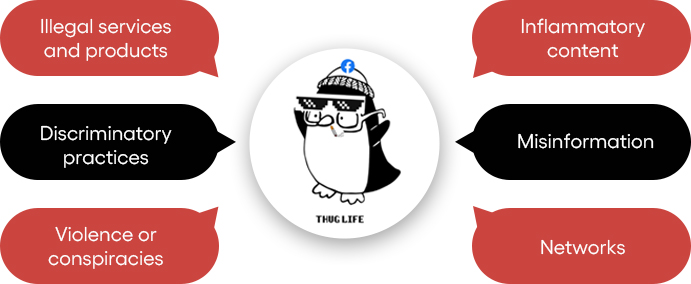
What Tends to Trigger Reach Suppression
- Content that closely resembles stolen or reposted material. If your posts are repeatedly flagged by original creators through copyright reports, the accumulation of those signals will affect your account’s content trust score over time.
- Aggressive outbound link posting. Posts structured primarily to drive clicks off-platform, particularly when posted at volume in comment sections or groups, match the pattern profile of spam behavior. The algorithm suppresses them because they represent low-quality on-platform engagement, not because any human reviewed them.
- Content in sensitive topic categories. Violence, graphic imagery, political content in certain markets, and health-related claims all trigger elevated algorithmic scrutiny. Content in these categories may still be compliant but will be distributed more narrowly as a default.
- Inauthentic engagement signals. As noted above, purchased or artificially generated engagement trains the algorithm to mis-model your audience, which subsequently reduces distribution accuracy and overall reach.
- Unauthorized automation on page management. Bots managing posting schedules or interacting with followers on behalf of an account can trigger pattern-based suppression even if the content itself is compliant.

Common Mistake
Diagnosing a reach drop as shadow banning when the actual cause is an algorithm update or content quality shift. Before assuming suppression, check your ad account status, review recent page violation notices in Meta Business Suite, and look at whether the reach decline is content-specific or account-wide.
Business Page and Ad Account Risk Factors
Personal accounts and business pages face different enforcement environments.
Pages and ad accounts are held to the Advertising Policies and Commerce Policies in addition to Community Standards, and the commercial implications of enforcement actions are substantially higher.
Misrepresentation in Advertising Creative
Ads must match reality. If your product images don’t reflect what customers actually receive, you risk being flagged. Before-and-after health claims that suggest guaranteed results are also restricted.
Pricing must stay consistent. If your ad shows one price but the landing page shows another, it violates Meta’s policy.
All of these fall under Meta’s misleading claims guidelines. The consequences vary. You might face ad rejection, or repeated issues could lead to account-level flags.
Deleting or Hiding Negative Comments
There is a nuanced line here. Hiding comments that contain harassment or off-topic spam is reasonable moderation.
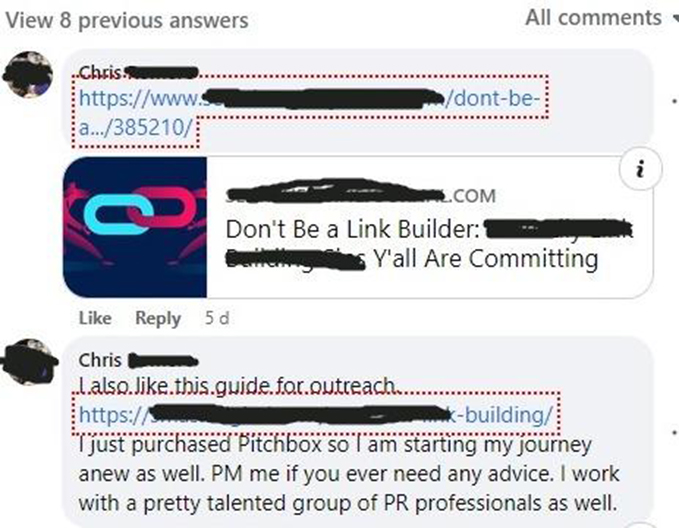
Systematically removing legitimate customer complaints is a negative signal to Meta’s commerce trust systems.
If you operate a Facebook Shop or run ads with commerce objectives, an elevated complaint-to-response ratio will affect your account’s commerce health score.
Ignoring Customer Service Signals
Meta tracks page responsiveness as a quality indicator.
Pages with consistently low response rates to customer messages, or high rates of message blocking, receive quality warnings that, if unaddressed, can limit distribution and eventually commerce eligibility.

Relying on Excessive Automation for Page Management
Automation tools approved by Meta (scheduling through Creator Studio or Meta Business Suite, authorized third-party partners) are fine.
The risk comes from tools that simulate human activity through unofficial API access or browser automation. The distinction matters because Meta’s detection systems are specifically calibrated to find the latter.
A Practical Framework for Staying Compliant
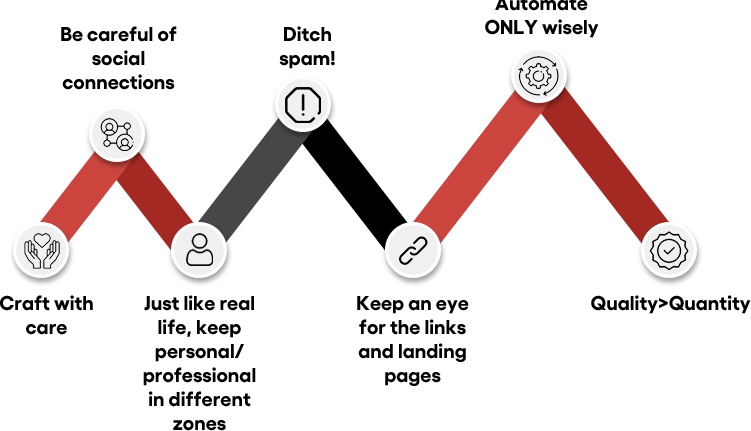
The following practices are not comprehensive, but they address the highest-frequency risk factors. Think of this as the operational baseline for any brand with meaningful Meta exposure.
- Separate personal and commercial account functions cleanly. Personal profiles manage people. The Business Manager manages assets. Do not conflate the two.
- Audit your tool stack against Meta’s authorized partner list. Any tool that accesses Facebook or Instagram programmatically should be verifiably authorized. If you cannot confirm authorization, replace it.
- Build your content library, not someone else’s. Original content, including original creative for ads, is a straightforward way to avoid copyright flags. This applies to ad images and videos sourced from stock libraries where licensing for paid social must be explicitly confirmed.
- Maintain realistic activity cadence. Post consistently but not at volumes that would be implausible for a real team to sustain manually. Sudden spikes in posting frequency after periods of low activity reliably trigger scrutiny.
- Do not tag people without relevance. Tagging users who have no connection to the post’s content generates user reports, which accumulate as account quality signals.
- Respond to customer messages and comments at pace. Especially for commerce-enabled pages, response rate is a tracked metric with real consequences for account health.
- Never add someone to a group without their explicit consent. Meta allows invitations; it does not permit forced group additions. Forced additions generate member reports that can trigger page actions.
- Structure your Business Manager to contain risk. If an ad account is restricted, it should not be able to cascade into your page’s commerce eligibility or another account’s activity. Proper asset structure limits blast radius.
Strategic Note
Ad account diversification is a risk management strategy, not just an operational preference. Brands doing meaningful paid social volume should maintain multiple ad accounts across separate Business Managers as a precaution against restriction events.
If Your Account Gets Restricted: What to Do First
Account restriction is not always the end of the road. Meta’s appeal process is slow and inconsistent, but it exists, and it does result in reinstatements, particularly for first-time flags on accounts with otherwise clean histories.
The sequence that tends to produce the best outcomes:
- Document everything before acting. Screenshot the specific violation notice, the affected asset, and any content cited. You will need this for your appeal and for any escalation through Meta’s support channels.
- Identify the specific policy cited in the restriction notice. Do not appeal against a generic “your account violated our policies” finding. Research the specific policy clause and address it directly in your appeal.
- Submit a formal appeal through the Meta Business Help Center. If you have a Meta representative or agency support contact, loop them in at this stage. Escalation through official channels moves faster than the public queue.
- Do not create a new account to replace the restricted one while an appeal is pending. This is frequently interpreted as attempting to circumvent enforcement and can result in the new account being immediately actioned as well.
- Include the history of compliance in the appeal if the restriction involves an ad account under a Business Manager. Context does get evaluated by human reviewers when an appeal reaches that stage.
What Not to Do
Engaging third-party services that claim to recover banned accounts or “know people inside Meta” is a risk-amplifying move, not a recovery strategy. There is no legitimate shortcut through Meta’s enforcement process.
The Bigger Picture
Facebook’s enforcement environment will continue to evolve.
The platform has commercial incentives to keep legitimate advertisers active, which means the system is not designed to eliminate businesses. It is designed to eliminate the behaviors that erode user trust on the platform.
Aligning your operational practices with those goals keeps you on the right side of the line without requiring heroic compliance efforts.
The brands that consistently avoid enforcement issues are not doing anything complicated. They maintain genuine account structures, use compliant tools, produce original content, and engage with their audiences in ways that reflect how real teams actually operate. That is the complete picture.
If your Meta setup has accumulated risk through past practices or a growing tool stack you have not fully audited, addressing it proactively is substantially easier than addressing it after a restriction event.
Get a Second Opinion on Your Meta Account Health
If you manage paid social or organic pages at scale, a structured policy review can identify the gaps before they become enforcement events. No commitment required.